3dmod

Tuesday, May 10, 2016

(chap 11.1) Merging Scenes


Posted by Lucyous at 4:07 PM No comments:
Email ThisBlogThis!Share to XShare to FacebookShare to Pinterest

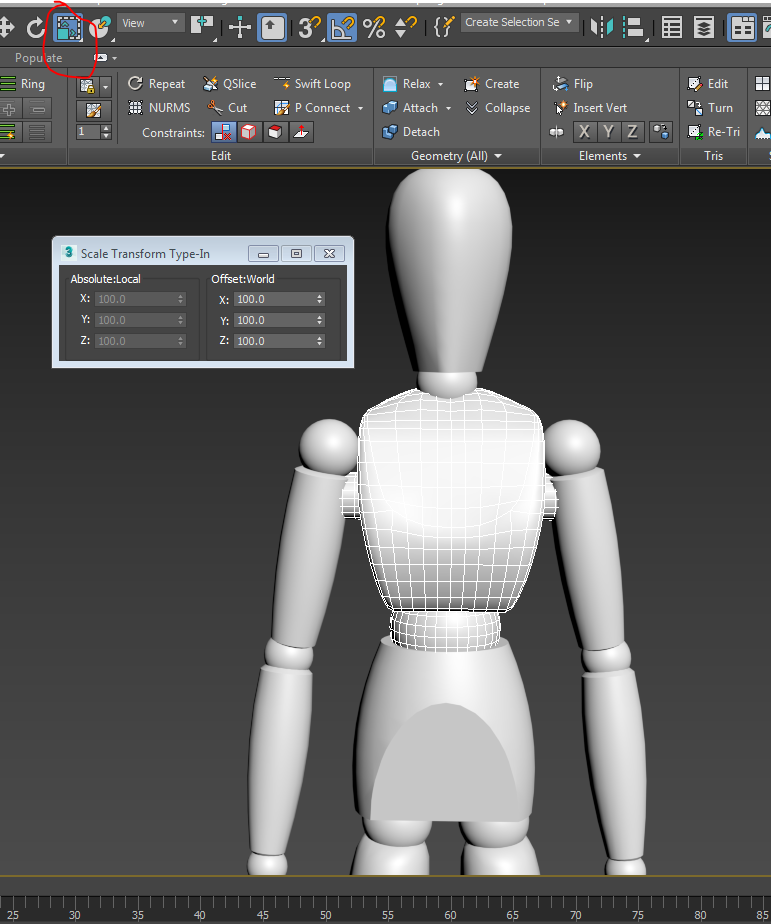
(chap 10.7) Avoiding Problems with Scaling Link


Posted by Lucyous at 3:57 PM No comments:
Email ThisBlogThis!Share to XShare to FacebookShare to Pinterest

(chap 10.6) Locking Transforms

http://screencast-o-matic.com/watch/cDh63E1P9O

Posted by Lucyous at 3:46 PM No comments:
Email ThisBlogThis!Share to XShare to FacebookShare to Pinterest

(chap 10.5) Linking Objects

http://screencast-o-matic.com/watch/cDh63U1PP5


Posted by Lucyous at 3:34 PM No comments:
Email ThisBlogThis!Share to XShare to FacebookShare to Pinterest

(chap 10.4) Axis Order

The Z and X axis now follow the Y axis
Posted by Lucyous at 3:16 PM No comments:
Email ThisBlogThis!Share to XShare to FacebookShare to Pinterest

(chap 10.3) Gimbal Coordinate Space

Gimbal only rotates in one axis
Posted by Lucyous at 3:06 PM No comments:
Email ThisBlogThis!Share to XShare to FacebookShare to Pinterest

(chap 10.2) Transforming Pivot Pionts


Posted by Lucyous at 2:38 PM No comments:
Email ThisBlogThis!Share to XShare to FacebookShare to Pinterest
Newer Posts Older Posts Home
Subscribe to: Posts (Atom)

About Me

Lucyous
View my complete profile

Blog Archive

  • ▼  2016 (201)
    • ▼  May (201)
      • *Hopewell*
      • (chap 16.7) Playing the image Sequence in the RAM ...
      • (chap 16.6) Image Sequence
      • (chap 16.5) Mental Ray Render Options
      • (chap 16.4) Setting Scanline Render Options
      • (chap 16.3) Controlling Shadows
      • (chap 16.2) Rendering Standard Lights
      • (chap 16.1) Choosing a Render
      • (chap 15.6) Painting Objects with Viewport Canvas
      • (chap 15.5) Using Real-World Map Size
      • (chap 15.4) Project UVs with UVW map
      • (chap 15.3) Tracking scene assets
      • (chap 15.2) Bitmap
      • (chap 15.1) Placing 3D Procedural Map
      • (chap 14.6) Multi/Sub-Object Materials
      • (chap 14.5) Adjusting the physical Material
      • (chap 14.4) Adjusting Standard Parameters
      • (chap 14.3) Scene Materials and Sample Slots
      • (chap 14.2) Working with the Slate material Editor
      • (chap 14.1) Using the Compact Material Editor
      • (chap 13.11) Using the Light Explorer
      • (chap 13.10) Active Shade
      • (chap 13.9) Creating Sun and Sky
      • (13.8) Adjusting Light Distribution
      • (chap 13.7) Changing Light Shape
      • (chap 13.5) Using the ART Render
      • (chap 13.4) Adjusting Exposure Control
      • (chap 13.3) Color ad Intensity
      • (chap 13.2) Controlling Viewport Quality for Lights
      • (chap 13.1) Photometric Light
      • (chap 12.7) Moving Keys with Trajectories
      • (chap 12.6) Curve Editor
      • Chap 12.5) Dope Sheet
      • (chap 12.4) Editing Animation
      • (chap 12.3) Set Key
      • (chap 12.2) Auto Key
      • (chap 12.1) Time Config
      • (chap 11.7) Aspect Ratio
      • (Chap 11.6) Safe Frames
      • (chap 11.5) Creating a Free Camera
      • (chap 11.4) Creating a Target Camera
      • (chap 11.3) Layers
      • (chap 11.2) XREFS Objects
      • (chap 11.1) Merging Scenes
      • (chap 10.7) Avoiding Problems with Scaling Link
      • (chap 10.6) Locking Transforms
      • (chap 10.5) Linking Objects
      • (chap 10.4) Axis Order
      • (chap 10.3) Gimbal Coordinate Space
      • (chap 10.2) Transforming Pivot Pionts
      • (chap 10.1) Understanding Hierarchies
      • (chap 9.6) Sculpting with Conform Transform
      • (chap 9.5) Conforming One Object to Another
      • (chap 9.4) Brush Options
      • (chap 9.3) Setting Paint Options
      • (chap 9.2) Types of Brushes
      • (chap 9.1) Sculpting with Paint Deform
      • (chap 8.5) Baking Subdivisions
      • (chap 8.4) Shaping an Editable Poly with the Ribbo...
      • (chap 8.3) Adding OpenSubdiv Modifier
      • (chap 8.2) Prepping for Subdivisions Surfaces
      • (chap 8.1) Understanding Subdivtions
      • (chap 7.5) Welding Vertices
      • (chap 7.4) Using the remove tool
      • (chap 7.3) Branching with Extrude
      • (chap 7.2) Chamfer
      • (chap 7.1) Sub-object Transforms
      • (chap 6.8) Creating Doors and Windows
      • (chap 6.7) Cutting with Booleans
      • (chap 6.6) Prepping for a Boolean
      • (chap 6.5) Correcting Topology with Qslice
      • (chap 6.4) Adding Edges with the cut tool
      • (chap 6.3) Creating Solid Geo with the Extrude Mod...
      • (chap 6.2) Tracing an Image Plane
      • (chap 6.1) Creating an Image plane
      • (chap 5.11) Lofting with Sweep
      • (chap 5.10) Text Plus
      • (chap 5.9) Adding a Bevel Modifier
      • (chap 5.8) Rendering Splines
      • (chap 5.7) Importing from Illustrator
      • (chap 5.6) Understanding NURBS
      • (chap 5.5) Adjusting the Level of Detail with Inte...
      • (chap 5.4) Editing Splines
      • (chap 5.3) Revolving with a Lathe Modifier
      • (chap 5.2) Editing Vertex Types
      • (chap 5.1) Creating a Line
      • (chap 4.8) Collapsing the Modifier Stack
      • (chap 4.7) Clearing a Selection in the Stack
      • (chap 4.6) Volume Select Modifier
      • (chap 4.5) Topology Dependence
      • (chap 4.4) Building a Modifier Stack
      • (chap 4.3) Selecting Subobjects
      • (chap 4.2) Moving the Pivot Piont
      • (chap 4.1) Level of Detail
      • (chap 3.8) Grouping
      • (chap 3.7) Selecting with Window/Crossing
      • (chap 3.6) Working with Explorer
      • (chap 3.5) Isolate Selection and Lock Selection
      • (chap 3.4) Duplacating with Clone
      • (chap 3.3) Duplicating Objects with an Array
      • (chap 3.2) Transform Center
      • (chap 3.1) Choosing a Coordinate System
      • (chap 2.12) Customizing Hotkeys
      • (chap 2.11) Customizing Colors
      • (chap 2.10) Config Viewports
      • (chap 2.9) Shading Mode
      • (chap 2.8) Defining Home Grid
      • (chap 2.7) System Units
      • (chap 2.6) Display Units
      • (chap 2.5) Hotkeys
      • (chap 2.4) Move, Rotate and Scale?
      • (chap 2.3) Navigating Viewports
      • (chap 2.2) Create and Modify Panels
      • (Chap 2.1) Interface
      • 3D MAX (ALL of Chap 1)
      • Progress??
      • Applying Fur To a Pillow Pet I Made
      • WHAT NOT TO DO!!!
      • Progress of Personal Project
      • Importing Sound Into an Animation
      • Creating Animation Cycles
      • Constraint
      • Playblast
      • Ghosting Animation
      • Animated Along a Path
      • Learning Set Break Down
      • Using the Dope Sheet
      • Modifying Keys in the Graph Editor
Travel theme. Powered by Blogger.